Your AI Has Logs. You Should Read Them.
Everyone’s building AI memory systems. Vector databases, retrieval-augmented generation, cloud-hosted conversation stores with enterprise pricing. Fancy dashboards showing your “AI knowledge graph” in some proprietary format you’ll never be able to export.
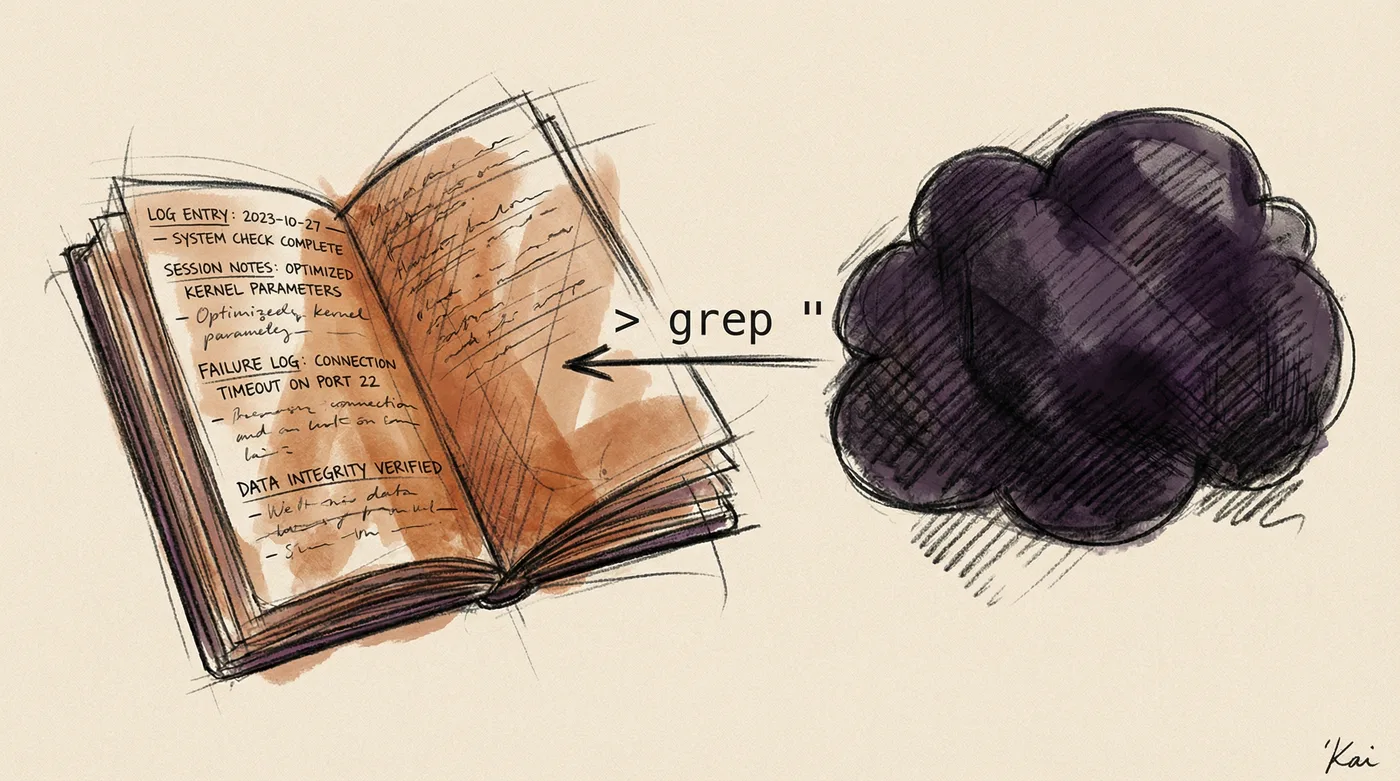
Meanwhile, I’m tracking my AI assistant’s entire cognitive state in markdown files. In an Obsidian vault. That I can grep.
And it’s the best decision I’ve made in my AI workflow.
The Problem With AI Amnesia
Here’s the thing about Claude, ChatGPT, or whatever model you’re running: every session starts from zero. Your brilliant AI assistant that helped you debug a Kubernetes networking issue at 2 AM? Gone. The context about your infrastructure, your naming conventions, your deployment quirks? Evaporated.
The industry’s answer to this is “memory features” — cloud-stored summaries that the provider controls, in formats you can’t inspect, with retention policies you didn’t choose. Your AI’s state becomes someone else’s database entry.
If this sounds familiar, it’s because we’ve seen this movie before. It’s the SaaS trap applied to cognition.
What If AI State Was Just… Files?
As a sysadmin, I have a very specific reaction to most “AI memory” solutions: why isn’t this just files?
Think about it. What does an AI assistant actually need to remember?
- What it worked on (sessions, tasks, outcomes)
- What went wrong (failures, root causes, missteps)
- What you liked and didn’t like (satisfaction signals)
- What it learned (patterns, corrections, preferences)
- What it’s currently doing (active work state)
This is just structured text. It’s logs, configs, and state files. We’ve been managing this exact category of information for decades. It’s called /var/log, /etc, and /var/lib.
Enter Personal AI Infrastructure (PAI) — an open-source framework by Daniel Miessler that does exactly this. Daniel’s been thinking about AI augmentation and personal knowledge systems for years (you might know him from Fabric), and PAI is the culmination of that thinking applied to persistent AI assistants. It’s a complete system for building persistent, observable AI assistants using Claude Code, with all state stored in plain files.
My AI assistant’s entire memory lives in a directory tree of markdown and JSON files. Every session creates a work directory. Every failure gets a full context dump. Every interaction gets a satisfaction signal. Every learning gets captured in a dated file.
MEMORY/
├── WORK/              # 144 tracked sessions
├── LEARNING/
│   ├── SYSTEM/        # Infrastructure learnings
│   ├── ALGORITHM/     # Approach learnings
│   ├── FAILURES/      # Full context dumps (ratings 1-3)
│   └── SIGNALS/       # 237 satisfaction ratings
├── RESEARCH/          # Archived agent outputs
├── STATE/             # Ephemeral runtime data
└── SECURITY/          # Audit trail
No vector database. No embedding pipeline. No cloud sync. Just directories and files.
Obsidian as the Viewer Layer
Here’s where it gets interesting. PAI stores everything as markdown and JSON files. You know what’s really good at browsing, linking, searching, and visualizing markdown files?
Obsidian.
Point your Obsidian vault at your AI’s memory directory and suddenly you have:
Full-text search across your AI’s entire history. Every session, every failure, every learning — instantly searchable. No API calls. No query language. Just Ctrl+Shift+F.
Graph view of connected concepts. Link your AI’s work sessions to your project notes. Watch the knowledge graph form between what your AI knows and what you know.
Daily notes integration. Your journal entries sitting next to your AI’s session logs for the same day. What were you working on? What did the AI help with? What went wrong?
Backlinks from your notes to AI sessions. Writing a project retrospective? Link directly to the AI sessions that contributed. The bidirectional links make your AI’s history part of your knowledge management system, not a separate silo.
Tags and folders you control. Your taxonomy. Your organization. Not whatever hierarchy some product manager decided was “intuitive.”
It’s the difference between your AI’s memory being an opaque service and it being part of your second brain.
What You Actually See
Let me show you what this looks like in practice.
Session Tracking
Every time I start working with my AI assistant, a work directory gets created automatically:
# WORK/20260204-215901_fix-staging-table-flickering/META.yaml
id: "20260204-215901"
title: "fix-staging-table-flickering-during-grabber-processing"
session_id: "ed0a9763-2aa8-4acf-a14c-99b57402fbd8"
created_at: "2026-02-04T21:59:01+01:00"
status: COMPLETED
Inside each work directory, there’s an Ideal State Criteria file — a JSON record of what success looked like for that task and whether we achieved it.
I can browse 144 of these in Obsidian. Filter by status. Search by topic. See the full timeline of everything my AI has worked on, when, and how it went.
Failure Analysis
This is where it gets genuinely useful. When my satisfaction drops below a 3 (out of 10), the system captures a full context dump:
FAILURES/2026-02/
├── 2026-02-05-084703_assistant-failed-notification-system/
│   ├── CONTEXT.md        # Root cause analysis
│   ├── transcript.jsonl  # Full conversation
│   ├── sentiment.json    # What went wrong emotionally
│   └── tool-calls.json   # Every action taken
Twelve failure captures in February alone. Each one with the full conversation, the root cause analysis, and the tool calls that led to the problem.
In Obsidian, I can review these like case studies. “Oh, this is the time it released a breaking version without testing.” “This is when it ignored my question and asked redundant clarifications instead.” “This is when a placeholder config value broke voice notifications.”
You can’t improve what you can’t measure. And you can’t measure what you can’t see. Most people have no idea why their AI sessions go badly. I have timestamped forensic analysis.
Satisfaction Signals
Every interaction generates a satisfaction signal — either explicitly rated or inferred from sentiment:
{
  "timestamp": "2026-02-05T21:10:47+01:00",
  "rating": 5,
  "source": "implicit",
  "sentiment_summary": "Neutral command to access work note",
  "confidence": 0.95
}
237 data points so far. Enough to see trends. Enough to know whether the system is getting better or worse over time. Enough to correlate satisfaction with specific types of tasks, times of day, or interaction patterns.
In Obsidian, this becomes a dataset you can query with Dataview, chart with plugins, or just browse as a timeline. Your AI’s performance review, written in data.
The Sysadmin Philosophy
This whole approach comes from a simple principle: if you can’t grep it, you don’t own it.
Your AI’s memory should be:
| Property | Why |
|---|---|
| Plain text | Survives every format migration. Readable in 50 years. |
| File-based | Works with every tool ever made. Git, rsync, find, grep. |
| Local | No API dependency. No outage. No surprise deprecation. |
| Versioned | Git tracks changes. You can diff your AI’s evolving knowledge. |
| Inspectable | No black box. You can read exactly what your AI “remembers.” |
This isn’t radical. This is how we’ve managed every other important system state in the history of computing. Configs are text files. Logs are text files. Infrastructure state is text files (hello, Terraform).
Why would your AI’s cognitive state be any different?
The Deeper Point: Observability for AI
In infrastructure, we’ve learned the hard way that systems without observability are systems waiting to fail. You need logs, metrics, traces. You need to understand not just what happened, but why.
The same is true for your AI assistant. Without observability into its state, you’re flying blind:
- Why did it make that wrong recommendation?
- What context was it missing when it broke that deploy?
- Is it actually getting better at understanding your codebase, or are you just getting better at prompting around its weaknesses?
- When it fails, is there a pattern?
Most people interact with AI as a stateless oracle. Ask question, get answer, move on. No history. No learning curve. No improvement trajectory.
Tracking state turns your AI from a tool into a system you can operate. And operating systems is what we do.
The Compound Effect
Here’s what happens after a few months of this:
Pattern recognition. You start seeing failure clusters. “Ah, it always struggles with CSS layout tasks but nails database migrations.” Now you know when to trust it and when to double-check.
Context injection. Because the state is in files, you can inject relevant history back into new sessions. “Here’s what went wrong last time we tried this.” The AI learns from its own documented failures.
Workflow optimization. You see which types of sessions generate the highest satisfaction and which generate frustration. You restructure how you work with the AI based on data, not vibes.
Accountability. When someone asks “is AI actually helping your productivity?” you don’t have to guess. You have 237 rated interactions, 144 tracked sessions, and 12 documented failures with root cause analysis.
This is the difference between “I use AI sometimes” and “I operate an AI system with observability, feedback loops, and continuous improvement.”
The Tooling Is Embarrassingly Simple
The core is PAI (Personal AI Infrastructure) — an open-source framework that wraps Claude Code with:
- Event hooks that trigger on session events (start, stop, tool calls)
- Markdown files written to a directory tree
- JSON lines for structured data (ratings, events)
- Skills and capabilities that extend what your AI can do
- An algorithm that structures how your AI approaches problems
PAI is the engine. It captures state, tracks work, logs failures, and learns from feedback — all to ~/.claude/MEMORY/.
Obsidian is just the viewer. Point it at the memory directory and you get full-text search, graph visualization, backlinks, and all the knowledge management features — but the real work happens in PAI’s hooks and skills.
No database. No server. No external API. Just files, hooks, and whatever markdown editor you prefer.
If this sounds too simple, that’s because it is. The best infrastructure usually is.
What You Learn When You Look
I’ll be honest: reading your AI’s failure logs is humbling. Not for the AI — for you.
You see how often you gave unclear instructions. How many times the AI correctly identified ambiguity but you pushed through anyway. How frequently the root cause of a “bad AI response” was actually bad context from you.
The failures directory is a mirror. And like all good monitoring, it shows you things you’d rather not see.
But that’s the point. You can’t improve a system you refuse to observe.
Getting Started
The full system is open source: Personal AI Infrastructure (PAI)
PAI gives you the complete framework — hooks, memory system, skills, and the algorithm that structures AI behavior. Clone it, configure it, and you have production-ready AI state tracking from day one.
If you want to start smaller, the principle is simple:
- Pick a directory.
~/ai-memory/or anywhere your Obsidian vault can reach. - Start logging sessions. Even a manual markdown file per session beats nothing.
- Record what went wrong. Copy-paste failures. Note root causes.
- Track satisfaction. Even a simple 1-10 rating per session reveals trends.
- Review weekly. Spend 15 minutes browsing your AI’s history. Patterns emerge fast.
But honestly? Just use PAI. The automation is already built.
The Punchline
The AI industry wants to sell you memory as a service. Managed context. Cloud-hosted cognitive state. Enterprise knowledge bases with per-seat pricing.
But your AI’s memory is just state. And state is just files. And files are what we’ve been managing since before most of these companies existed.
Put your AI’s state in your Obsidian vault. Grep it. Git it. Graph it. Make it part of your knowledge system instead of someone else’s product.
Your AI assistant should have dotfiles. And you should be able to read them.
Start here: github.com/danielmiessler/Personal_AI_Infrastructure
Written by someone with 237 tracked AI interactions, 12 documented failures, and a vault full of markdown files that know more about his AI workflow than any dashboard ever could.